

On this page
- The short answer: three numbers and one tax year
- Which tax return decides your start date
- What the rules actually say, and why the date matters
- If you are in: what you actually have to do
- Who is exempt
- Getting out again
- What it costs, and whether you need help
- What to do before the next deadline
- Frequently asked questions
The short answer: three numbers and one tax year
You're a sole trader, or a landlord, or a bit of both, and someone has told you Making Tax Digital is now your problem. The answer is narrower than the noise around it.
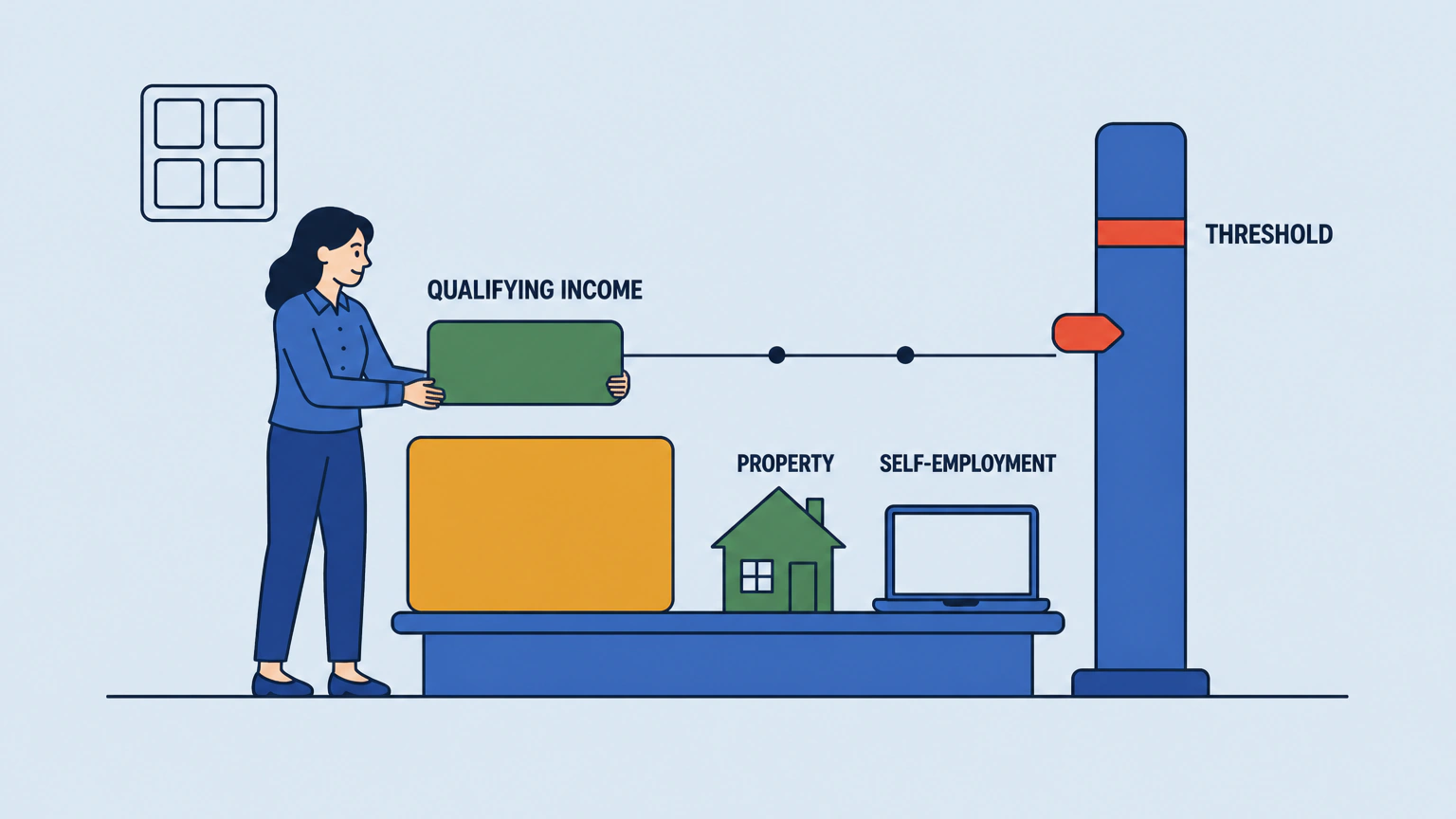
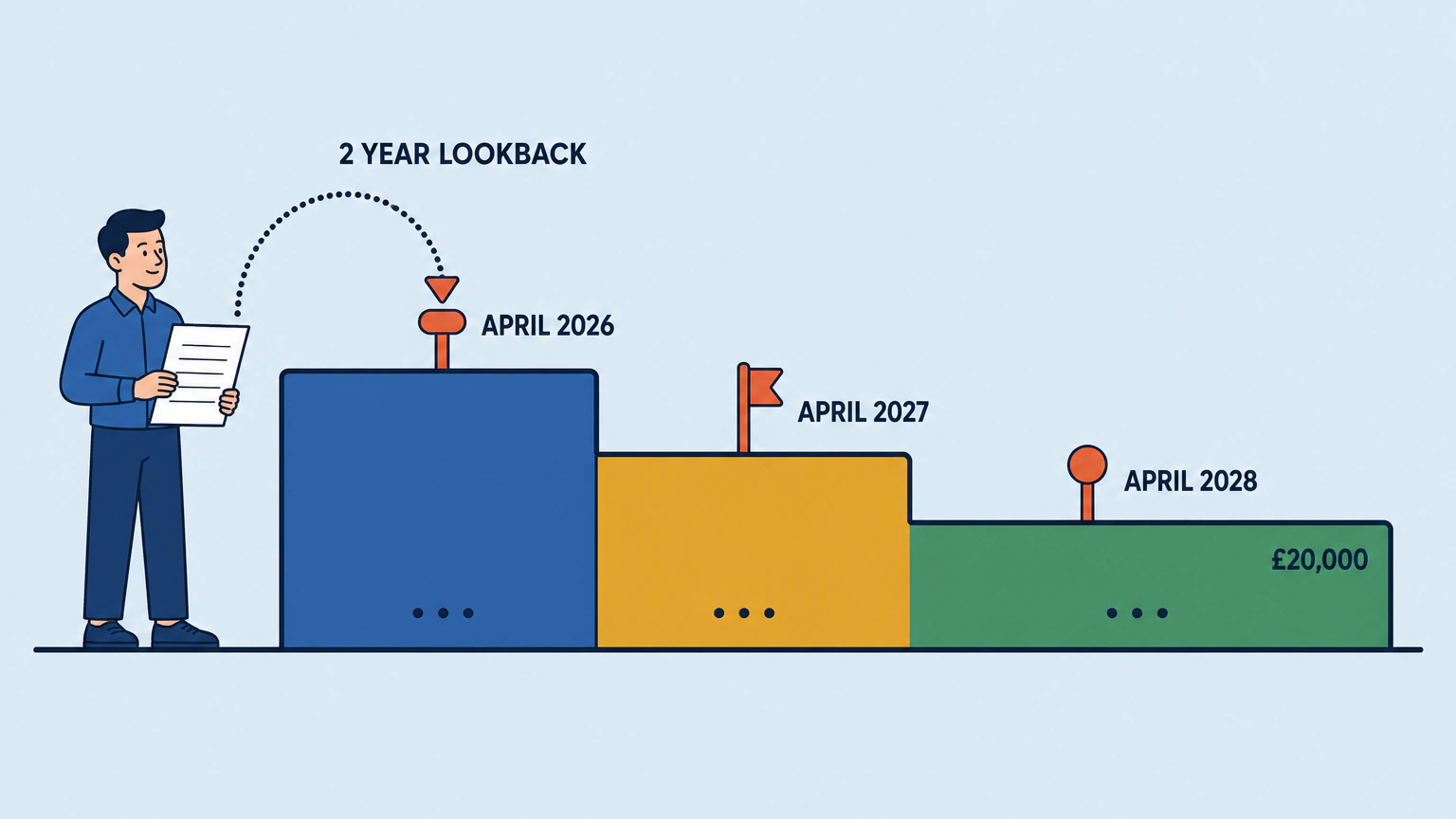
You need to use Making Tax Digital for Income Tax if you're registered for Self Assessment and your qualifying income was more than the threshold for the tax year HMRC checks. Qualifying income is your combined turnover from self-employment and property, before a penny of expenses. And the year HMRC checks is two tax years before your start date. Your 2024-25 return decided whether you were in from 6 April 2026, at over £50,000. Your 2025-26 return decides 6 April 2027, at over £30,000. Your 2026-27 return decides 6 April 2028, at over £20,000.
So "do I need to do Making Tax Digital" isn't a question about what you earn now. It's about a return you have already filed.
What "qualifying income" actually means
Turnover, not profit. That one word catches people who are nowhere near the threshold on the money they actually keep. The 2026 regulations use the gross amount included in your return, and fall back to an after-deductions figure only where the return doesn't require a gross one.
HMRC is equally clear about what doesn't count: employment income taxed through PAYE, your share of partnership profit as an individual partner, dividends including those from your own company, the State Pension and private pensions. If you own a property jointly, only your share counts.
Why two income sources are added together
The people who get caught out are the ones doing two things at once, because neither number looks alarming on its own.
HMRC's own worked example makes the point. Take £25,000 of gross rent and £27,000 from self-employment. That's £52,000 of qualifying income, comfortably over the £50,000 line, out of two sources that both sit well below it.
"More than", not "or more"
This is a hair's-breadth distinction, and most guidance blurs it.
The regulations exempt you for 2026-27 where your qualifying income for 2024-25 was not more than the qualifying amount, and they set that amount at £50,000 for 2024-25, £30,000 for 2025-26 and £20,000 for 2026-27 onwards. Read together, exactly £50,000 leaves you outside the April 2026 cohort. Exactly £30,000 leaves you outside April 2027.
So if you're within a few hundred pounds of a threshold, don't take anyone's summary for it. Open the return and add the figures up yourself.
Which tax return decides your start date
HMRC works out your qualifying income from the return you submitted in the previous tax year, then writes to the people it believes are over the line. The mechanic is the same at every threshold: the figure that counts comes from two tax years earlier.
Table 1: which return decides your start date
| Tax year HMRC checks | Qualifying income must be | Making Tax Digital starts | First quarterly update due |
|---|---|---|---|
| 2024-25 | more than £50,000 | 6 April 2026 | 7 August 2026 |
| 2025-26 | more than £30,000 | 6 April 2027 | 7 August 2027 |
| 2026-27 | more than £20,000 | 6 April 2028 | 7 August 2028 |
Partnerships aren't in scope yet, and no timeline has been published.
What if HMRC has not written to me?
Then you check anyway. The obligation exists whether or not a letter arrives. HMRC is blunt about it: if none comes, working out whether and when you need to use the service is still your responsibility, and so is being signed up in time.
Signing up isn't instant, either. You have to be registered for Self Assessment and to have filed a return in the last two years before you can do it.
Income sources that have stopped
A source that has stopped doesn't stop counting. If one stream has ceased since your last return but the other carries on, the ceased one still goes into the total. HMRC's example is a sole trader who sold their rental property: both sources were on the 2024-25 return, the self-employment continues, so the property income counts.
If all your self-employment and property income has ceased since that return, tell HMRC before the start of the next tax year. Leave it, and you'll be using Making Tax Digital anyway.
What the rules actually say, and why the date matters
Two instruments matter here, and only one of them is live.
The Income Tax (Digital Requirements) Regulations 2021 (S.I. 2021/1076) were revoked with effect from 1 April 2026. Making Tax Digital now runs on The Income Tax (Digital Obligations) Regulations 2026 (S.I. 2026/336), in force from the same date, which revoked the 2021 regulations and their 2024 amendment.
That matters the moment you start reading around. Guidance written for the old instrument describes a threshold and exemption structure that no longer governs the live regime, including a £10,000 figure that was superseded before mandatory Making Tax Digital for Income Tax ever began. Look at the date on anything you read.
The 2026 regulations apply UK-wide, and the parts that decide who is in and when carry no separate rule for Scotland, Wales or Northern Ireland. What rate you then pay is a different question, and one for HMRC.
If you are in: what you actually have to do
Three obligations, and they stand separately. You keep digital records of your business income and expenses in what the rules call functional compatible software. You send a quarterly update for each business through that software, by each deadline. And you deliver the tax return itself through the software too.
The four quarterly deadlines
The dates don't move from year to year, so this is a one-off job for the diary.
Table 2: the four quarterly update deadlines
| Update period | Period ends | Deadline |
|---|---|---|
| Quarter 1 | 5 July | 7 August |
| Quarter 2 | 5 October | 7 November |
| Quarter 3 | 5 January | 7 February |
| Quarter 4 | 5 April | 7 May (following tax year) |
One detail catches people out. A standard update period begins with the start of the tax year rather than the end of the previous quarter, so standard updates are cumulative year to date. Quarter 3 covers 6 April to 5 January, not October to January.
Your 31 January deadline has not moved
Quarterly updates are submissions, not payments, and they do not replace the annual return. Your tax return and the tax you owe are still due on 31 January after the tax year ends, exactly as before.
What changes is the rhythm of your year: five filing moments instead of one. Budget for that. If the return is the part you'd rather hand to someone else, Self Assessment tax return specialists do that piece.
Do you have to abandon your spreadsheet?
No. HMRC's own software guidance describes products that connect to records you already keep in spreadsheets or other accounting tools, sometimes called bridging software. Some of those products both send the updates and submit the return.
Pro tip: a spreadsheet that works doesn't have to be thrown away. The software connection to it satisfies the digital record-keeping obligation. The spreadsheet on its own doesn't. Check that any bridging product covers the updates and the return before you pay for it, and if setup is the part that worries you, accounting software specialists do this work.
Who is exempt
Some exemptions arrive on their own, from information HMRC already holds. Others you have to ask for. Which kind applies to you decides whether you need to do anything at all, and several of the current ones are temporary, running until April 2027 at the earliest.
Automatic exemptions (no application needed)
You don't need to contact HMRC for any of these. Qualifying income of £20,000 or less exempts you automatically. So does having no National Insurance number before the start of the tax year, and in that case you can't sign up even if you want to.
Other exemptions attach to a role rather than a number: non-resident companies filing an SA700, trusts filing an SA900, and personal representatives handling the affairs of someone who has died. Partnerships aren't currently in scope. Self Assessment returns are still filed as normal, and your own self-employment or property income is assessed separately.
Exemptions you have to apply for
The main one is digital exclusion. You apply by giving HMRC notice, and the exemption bites once HMRC issues an exclusion notice. What "excluded" means comes from the Taxes Management Act 1970.
HMRC accepts three grounds. An age, health condition or disability that stops you using a computer, tablet or smartphone. Practising membership of a religious society or order whose beliefs are incompatible with digital communications or record-keeping, where you do not use a computer, tablet or smartphone for business or personal use. Or being unable to get internet access at your home or business because of your location, and unable to get it at a suitable alternative location.
Just as usefully, HMRC names four reasons it will not accept on their own: that you previously filed on paper, that you're unfamiliar with accountancy software, that you have few digital records, or that signing up costs you extra time and money. That last one is hard on small operations, and you're right to think so. It is still the rule.
Activity-based exemptions
Three activities are exempt, but only where you give HMRC notice that satisfies it the activity is of that description: one carried on by a trustee in that capacity, a trade treated as carried on by a visiting performer, and the provision of qualifying care. A return containing enough information counts as that notice.
The regulations then do something separate and easy to miss. They keep those same receipts out of the qualifying income calculation. For foster and kinship carers in particular, qualifying care receipts don't push you towards a threshold at all.
Getting out again
Getting in is quick. Getting out is slow.
For a tax year after 2028-29, you fall back out only if a digital obligation applied in each of the three previous tax years and your qualifying income was not more than the qualifying amount in every one of them. HMRC puts it plainly: if your qualifying income drops below the relevant threshold for three tax years in a row, you can choose to opt out.
One bad year does not release you. Neither do two.
There are two other doors, though. An amended return that takes your qualifying income below the relevant threshold can take you out, and so can qualifying for an exemption.
What it costs, and whether you need help
Doing this yourself has a price. So does handing it over.
Table 3: do it yourself, or pay someone
| Route | What the source publishes | Basis |
|---|---|---|
| Do it yourself, over-£50,000 cohort | £285 one-off, £115 a year | HMRC tax information and impact note |
| Do it yourself, £30,000 to £50,000 cohort | £350 one-off, £110 a year | HMRC tax information and impact note |
| Accountant | £560 national average | Platform's own aggregate, 799 accountant cost profiles |
| Tax preparer | £593 national average | Platform's own aggregate, 937 cost profiles |
| Bookkeeper | £1,546 national average | Platform's own aggregate, 742 cost profiles |
HMRC's own estimate of doing it yourself
HMRC has published what it thinks compliance costs. Above the £50,000 threshold it estimates an average transitional cost of £285 and an average extra annual cost of £115. For the £30,000 to £50,000 cohort, £350 and £110. The same note expects around 780,000 people to join from April 2026, and 970,000 more from April 2027.
HMRC also says free software products are available for those with simple tax affairs, and warns that a free product may carry limits, such as a capped number of transactions.
What hiring someone costs
The three hiring figures are this platform's own aggregates from its cost profiles. They are not market rates and they are not an industry survey: £560 on the vetted accountants and auditors page, £593 for tax preparers, £1,546 for bookkeepers.
The panels don't publish a period, so read them as the scale of an engagement rather than an annual fee. Whoever you hire, get the scope and the price in writing before they start.
Which of the three you actually need
Match the professional to the problem. The quarterly-update duty is a record-keeping burden before it is a tax one, so bookkeeping services are the answer when the pain is keeping records straight four times a year. An accountant or a tax preparer earns their fee on the annual return and on anything conditional, exemptions included. A software specialist earns theirs once, on setup.
There is an honest fourth answer. If you have one income source, simple affairs and free compatible software, you may need none of them. We'd try that first. If you do hire, remember that "accountant" is not a protected title in the UK, so check that the accountant you hire is actually qualified first.
What to do before the next deadline
Six checks, in order. Use the return, not your memory.
- Open your Self Assessment return for the tax year that sets your start date, two tax years before it.
- Add up turnover from every self-employment, taking the figure before expenses.
- Add gross rent from every property, before expenses and mortgage interest, counting only your share of anything you own jointly.
- Add the two together. That total is your qualifying income.
- Compare it with the threshold for that tax year. More than that figure and you're in. Exactly it, or less, and you're not.
- Run HMRC's own checker to confirm, then sign up or apply for an exemption.
Red flag: six ways people get this wrong.
- Using profit instead of turnover. The rules take the figure before deductions.
- Counting only one income source when you have both self-employment and property.
- Counting income that does not count, such as PAYE wages, dividends, a partnership profit share or pensions.
- Assuming that no letter from HMRC means no obligation. The duty to check is yours.
- Assuming a drop in income next year gets you out. It takes three consecutive years.
- Relying on guidance written before 1 April 2026, when the 2021 regulations were revoked.
HMRC's eligibility tool asks about the 2024-25, 2025-26 and 2026-27 tax years, your income sources and your returns, and helps you check whether and when you need to use the service. Run it before you buy software, and before you decide none of this applies.
Frequently asked questions
What happens if I don't sign up for Making Tax Digital?
Nothing at first, then rather a lot. For 2026-27 there are no penalties for missing a quarterly update deadline, though you still have to keep digital records and send the updates before you can submit your return. After that, each missed deadline earns a point, four points cost you £200, and every miss beyond that costs another £200.
Late payment penalties are separate and are not points based. The soft landing covers the first year only.
Do I have to use Making Tax Digital if I'm a landlord?
Yes, on exactly the same qualifying income test as a sole trader. Your rent counts gross, before expenses and before mortgage interest, and it is added to any self-employment turnover you have. If the combined figure is more than the threshold for the tax year HMRC checks, you're in.
Only your share of a jointly owned property counts. Income from REITs and property authorised investment funds does not count.
Do I need an accountant for Making Tax Digital?
No. Nothing requires you to use an accountant, an agent or a bookkeeper, and HMRC's service is built to be used directly. Paid help earns its cost when your affairs are conditional, when you're juggling several income sources, or when it's the record-keeping rather than the tax that defeats you.
Table 3 sets HMRC's own do-it-yourself estimate beside what hiring costs, so you can price the decision instead of guessing at it.
Can I still use spreadsheets for MTD?
Yes. HMRC's guidance describes bridging software, which connects to records you already keep in spreadsheets or other accounting tools and makes the submissions for you. Some products handle both the quarterly updates and the tax return, so a spreadsheet system you trust can stay exactly where it is.
The rules require records kept digitally and submitted through compatible software. Check that whatever you buy covers every income source you have.
Is Making Tax Digital free?
It can be. HMRC's software guidance says free products are available for those with simple tax affairs, with the caveat that a free product may carry limits, for example a capped number of transactions. Prices are set by the software providers, not by HMRC.
The current list of free products sits inside HMRC's own software finder. Check it against your income sources before you commit to anything.
Can you opt out of Making Tax Digital?
If your income falls, the usual route is the three-year rule: your qualifying income has to have been at or below the qualifying amount in three consecutive tax years in which a digital obligation applied to you. HMRC also lets you opt out if an amendment to the relevant previous-year return takes you below the threshold, and an exemption can take you out of the regime.
If you are not required to use the service, HMRC lets you continue voluntarily or opt out. A single low year on its own changes nothing.
Do partnerships have to do Making Tax Digital?
Not yet. HMRC states that partnerships will need to use Making Tax Digital for Income Tax in future, and that it will set out the timeline at a later date. In the meantime, your share of partnership profit as an individual partner does not count towards your qualifying income.
If you also have your own sole trade or rental business, that income is assessed separately and can put you in scope on its own.
This is general information about how the rules work, not tax advice, and your own circumstances decide the outcome. HMRC's own checker will help you confirm where you stand, and anything unusual or conditional is worth putting to a regulated adviser while you still have time to act on the answer.